Den här sidan är inte tillgänglig på ditt språk ännu, så den visas på engelska.
Reach every affected product, even after it ships
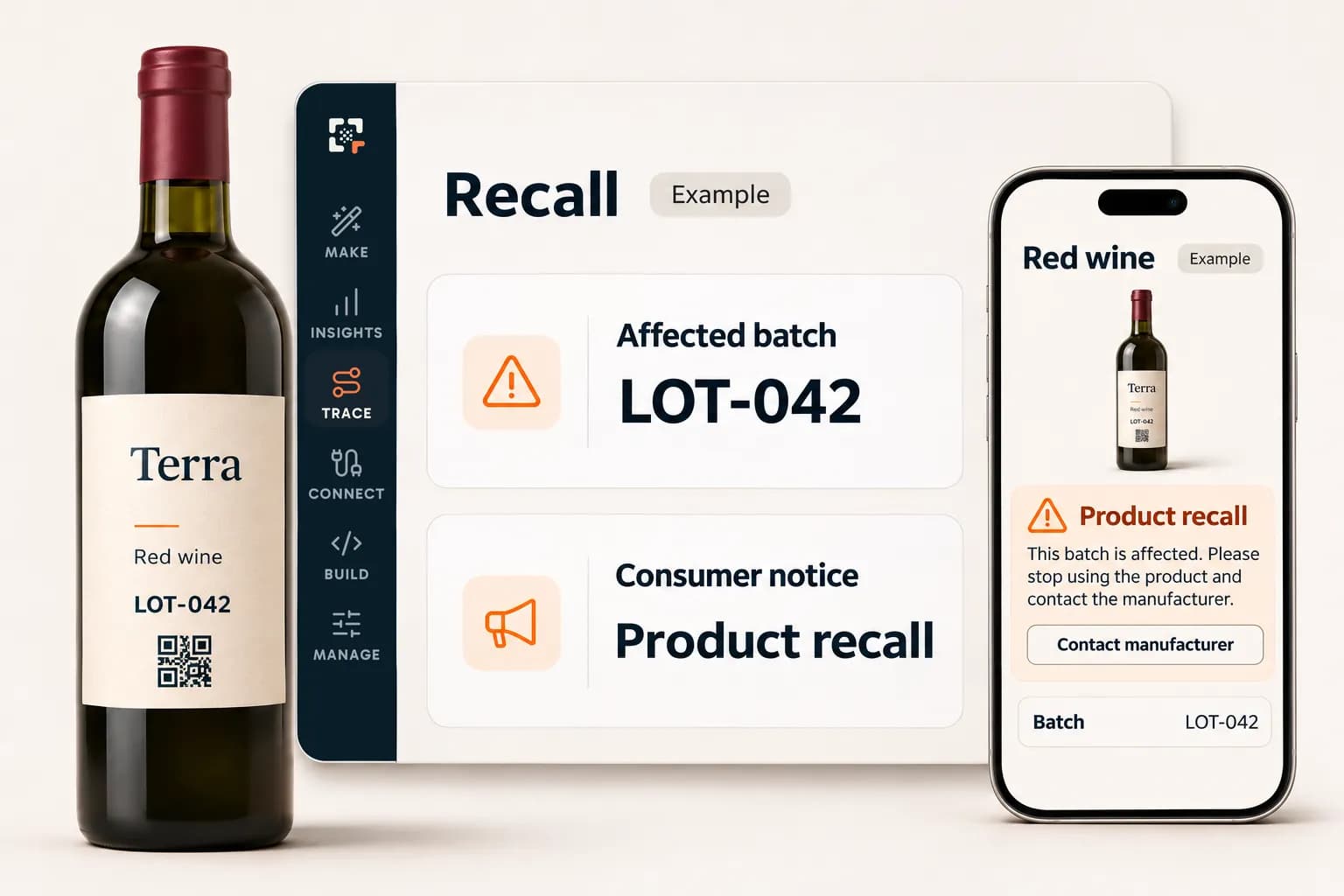
A recall puts a warning on the passport of every affected product, through the same code that carries the label. Shoppers who scan see it on their phone.
Recalls
Start a recall for a whole product or for specific batches or serial numbers. Affected passports show the warning when scanned.
Recall status for machines
Each product publishes its recall status as a GS1 link type, so retail and authority systems can check it.
Batch and serial numbering at scale
Create batch and serial numbers for whole production runs, with print verification before codes go live.
EPCIS 2.0 events and lineage
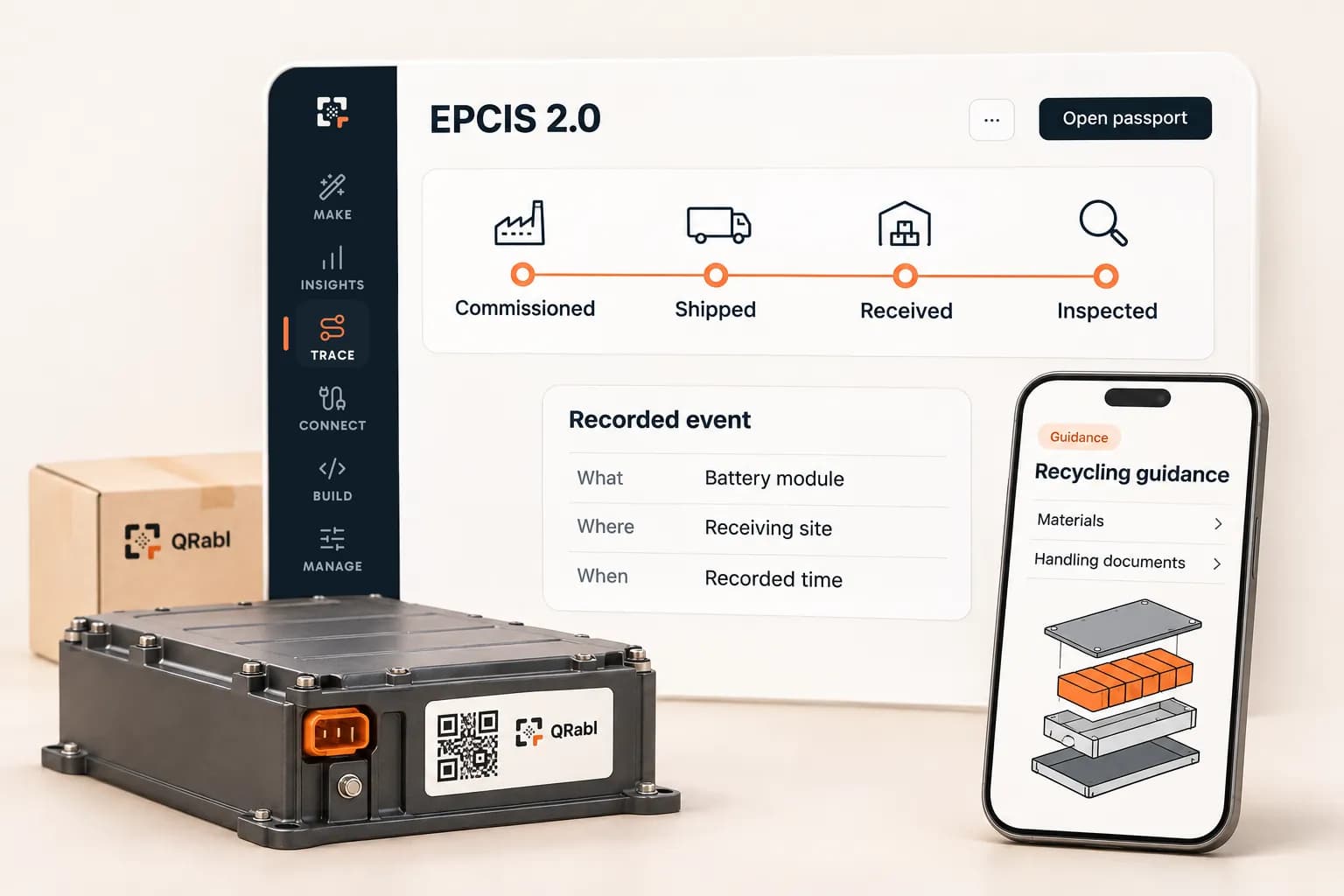
Record what happened to a batch or unit, where, when and why, and trace a unit back through its supply chain.
Packaging hierarchy
Link units to the cases and pallets they travel in, so one scan tells you what a shipment holds.
Supplier workspaces
Suppliers add their data and certificates for your products in their own workspace, without seeing the rest of yours.
Who this is for
Brands that need to know which units are affected when something goes wrong, and to reach those units after they have left the warehouse. And the quality and operations teams who have to answer that question quickly.
The problem
Most systems lose sight of a product at the loading dock. Once it ships, you don't know where it is, and a recall notice reaches only the buyers you can contact. The code on the pack is the one link to the product that travels with it, all the way to the shopper's home.
Recalls
Recalls work on the same code that carries the label and the passport.
- Create the recall in the dashboard: the reason, the severity and the product.
- Set the scope. Leave it open to cover every unit, or name the batches or serial numbers that are affected.
- Start it when you're ready. A recall stays a draft until you start it.
- Affected passports show the warning. When someone scans a product in scope, the passport shows the recall notice. If the code carries a batch or serial number, units outside the scope don't show it.
- Close it when the recall is resolved, or cancel it.
Recalls are included in the Track & Trace and Enterprise plans. See pricing.
Machines can check too. Each product publishes its recall status as the GS1 link type gs1:recallStatus, so a retailer's or an authority's system can look it up without opening the page. See the GS1 Digital Link and JSON-LD.
Batches and serial numbers
The QR code's address can carry a batch number and a serial number. The resolver reads them and passes them to the passport page, which can show batch details such as the expiry date.
- Batch and serial numbering at scale — create the numbers for whole production runs and hand them to your printer.
- Print verification — codes become live only after the printed code has been checked, so misprints don't turn into passports.
EPCIS 2.0 events and lineage
EPCIS 2.0 is the GS1 standard for supply-chain events: what happened, where, when and why. Each step, such as production, packing, shipping or receiving, becomes an event linked to the batch or the unit.
With these events you can go from a single unit back to its batch, its inputs and the steps it went through. The trail stays in a standard format, so you can share it with partners and authorities instead of keeping it in a closed system. The event formats are on the EPCIS schemas page.
Packaging hierarchy
Units go into cases, and cases go onto pallets. The packaging hierarchy records which unit is in which case and pallet. Scan the pallet and you know what it holds; recall a pallet and you know which units it covers.
Supplier workspaces
Your suppliers often hold the data your passport needs: material origin, certificates, test results. In a supplier workspace, each supplier adds that data for your products, linked to the right batch, without seeing the rest of your workspace.
Handlers in the chain
Staff and handlers enter a PIN at the code to see extra information, without a QRabl account. You add them and issue PINs in the dashboard. Read more on Experience vs Passport views.
Next step
Book a consultation to plan recalls and traceability for your products. Developers can request sandbox access, available on request after an NDA.